
Appearance
TSA Wait Times
Manage your airport's security checkpoint information and provide real-time wait times to travelers.
TIP
Don't see TSA Wait Times in your dashboard? Reach out on Slack or email support@flyfruition.com to enable this feature for your airport.
Overview
The TSA management system allows you to:
- Configure checkpoints (security screening areas)
- Manage lanes within each checkpoint
- Set operating hours for when checkpoints are open
- Apply manual overrides when automated data isn't accurate
- View audit logs of all changes
Key Concepts
Checkpoints
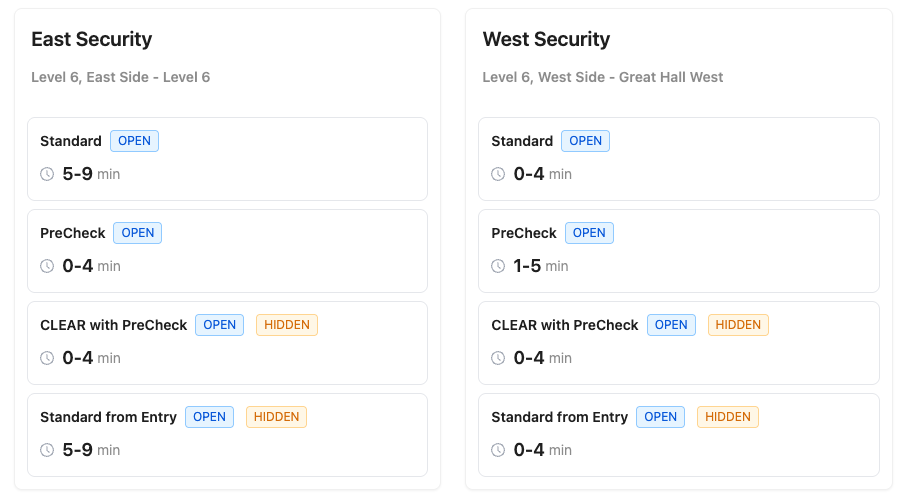
A checkpoint is a security screening area at your airport. Each checkpoint can have multiple lanes.
Example: Terminal A Security, Terminal B North Security
Lanes
Lanes are the individual screening lines within a checkpoint. Each lane can be:
- Standard - Regular screening
- PreCheck - TSA PreCheck expedited screening
- CLEAR - CLEAR member screening
- CLEAR/PreCheck - Combined CLEAR and PreCheck
Wait Times
Wait times can come from:
- Automated sources - Real-time data from sensors or third-party providers
- Manual overrides - Values you set when automated data is incorrect
Editing Checkpoints
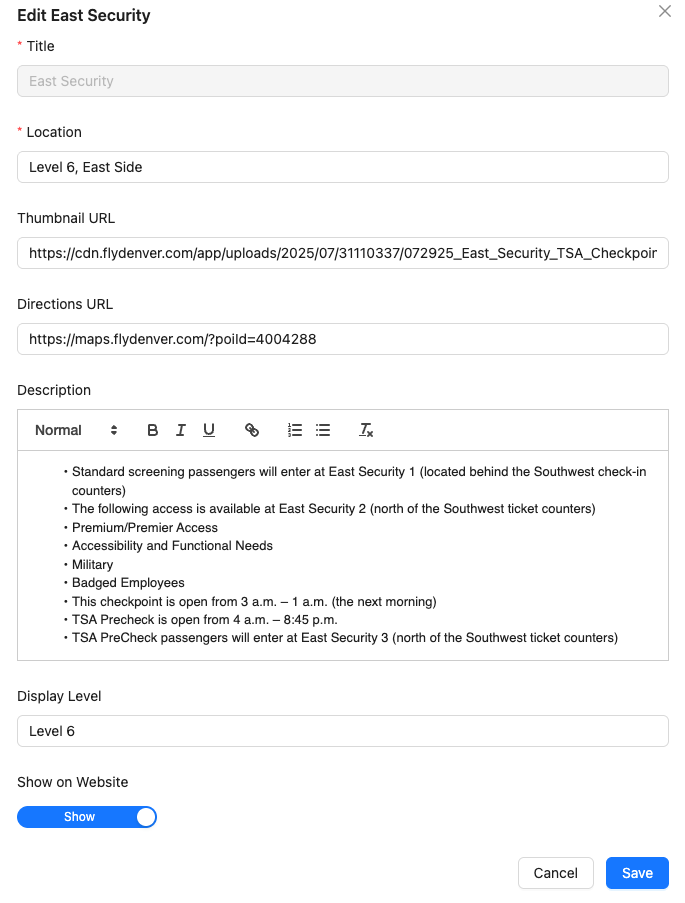
You can update checkpoint details and control their visibility on your displays.
To edit a checkpoint:
- Hover next to the title of the security checkpoint name
- Click the pencil icon that appears
- Edit the checkpoint details as needed
- Update the Show/Hide toggle to control whether the checkpoint appears on public displays
- Click Save to apply your changes
TIP
Use the Show/Hide toggle to temporarily remove a checkpoint from displays without deleting it, such as when it's closed for maintenance or construction.