
Appearance
Parking Management
Configure parking lots, rates, and availability displays for your airport.
Overview
The parking management system allows you to:
- Configure parking lots with descriptions and amenities
- Manage rates for hourly and daily parking
- View availability from real-time data sources
- Reorder lots to control display priority
Key Features
Lot Configuration
For each parking lot, you can set:
- Name - Display name for the lot
- Description - Rich text description with amenities
- Location - Terminal or area information
- Type - Covered, uncovered, valet, etc.
- Sort order - Position in lists
Rate Management
Configure pricing with:
- Hourly rates - Per-hour pricing
- Daily rates - Full-day pricing
- Date ranges - Special pricing for holidays or events
- Rate tiers - Different rates for different durations
Availability
Real-time availability comes from:
- Snowflake integration - Data warehouse sync
- Third-party APIs - External parking systems
- Manual updates - For lots without automation
INFO
Availability data is read-only. It's automatically synced from your parking systems.
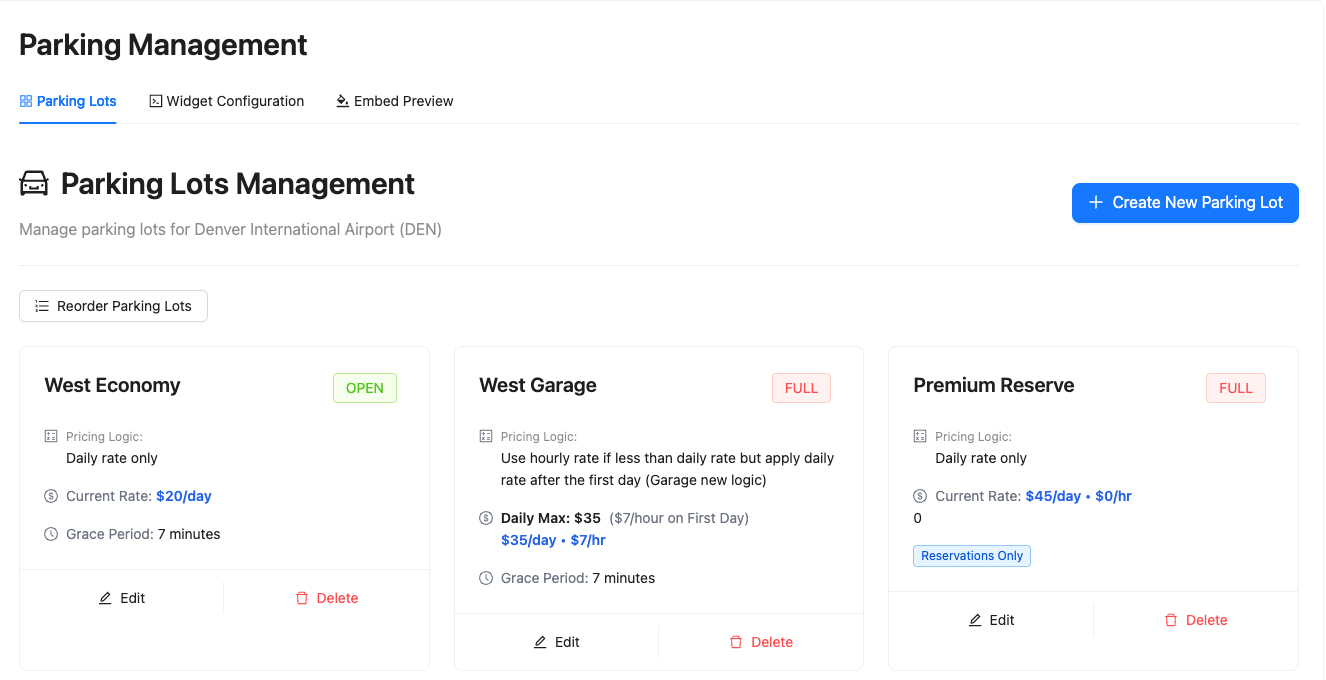
Parking Lots Management
In this section, you can manage all aspects of your airport's parking lots, from creating new lots to editing existing configurations.
Available actions:
- Delete parking - Remove parking lots from your system
- Add parking lot - Create new parking lot configurations
- Add parking lot details - Configure comprehensive information for each lot
- Edit status - Update the active/inactive status of parking lots
- Edit details - Modify name, directions, parking details, and transport options
- Reorder parking lots - Control the display order of lots on public displays
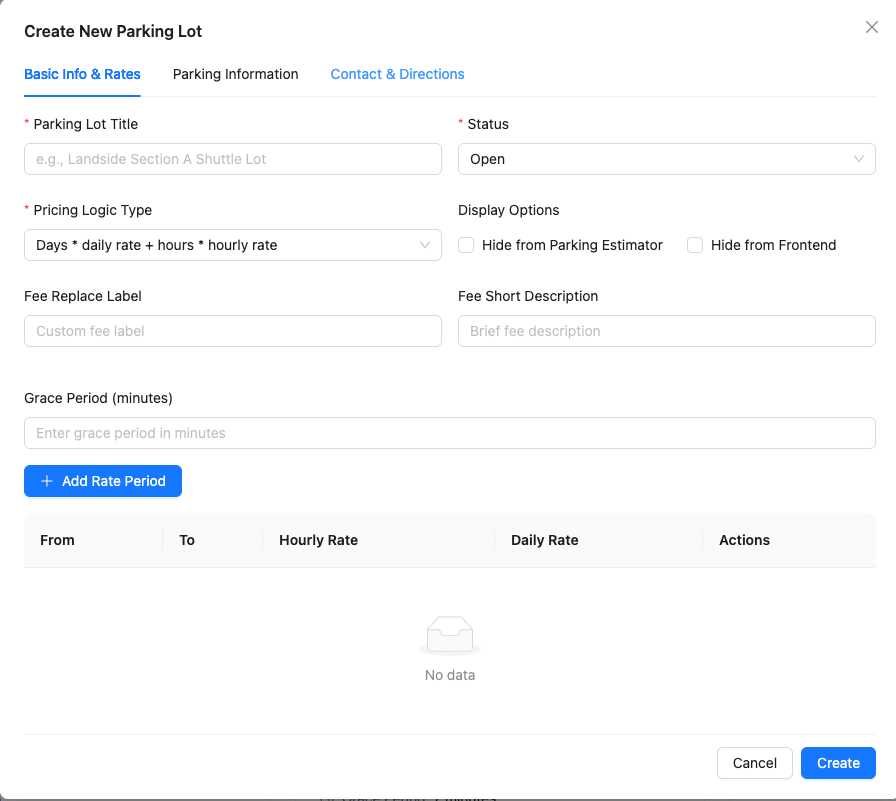
To add a new parking lot:
- Click the Add Parking Lot button
- Fill in the required details

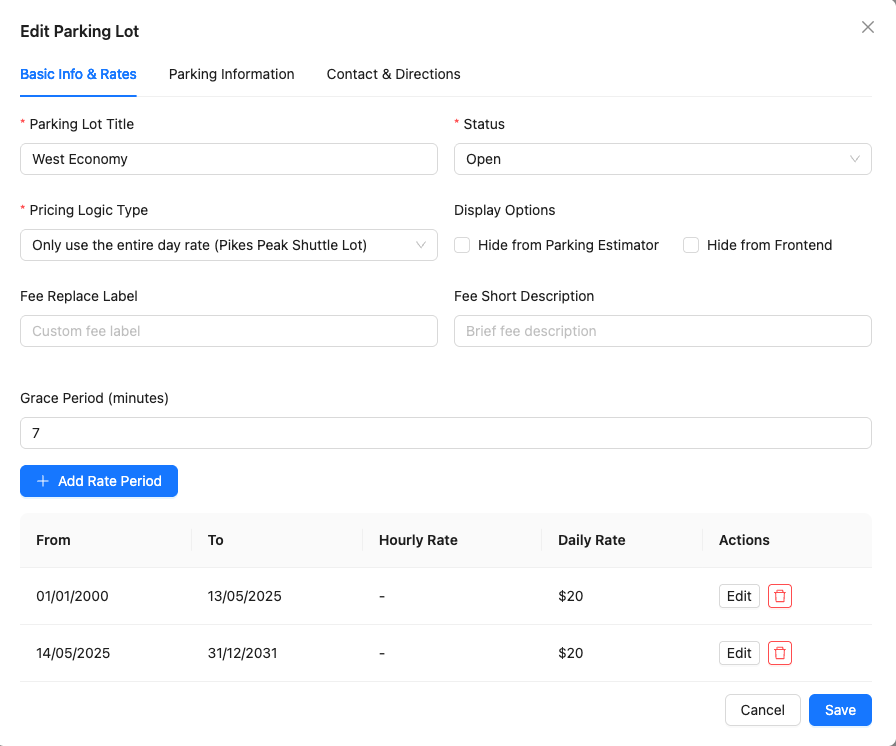
To edit an existing parking lot:
You can update:
- Name - Display name for the parking lot
- Directions - How to get to the parking lot
- Parking details - Type, capacity, and amenities
- Transport options - Shuttles, walking paths, and connections