
Appearance
Flight Management
View flight information and customize how airlines are displayed at your airport.
Overview
The flight management system provides:
- Real-time flight data from airport FIDS systems
- Airline customization for display names and logos
- FlightAware enrichment for enhanced flight details
- Audit logging of all changes
Key Features
Flight Information Display
View arrivals and departures with:
- Flight number and airline
- Origin/destination cities
- Scheduled and actual times
- Gate and baggage claim information
- Flight status (On Time, Delayed, Cancelled, etc.)
Airline Customization
Customize how airlines appear on displays:
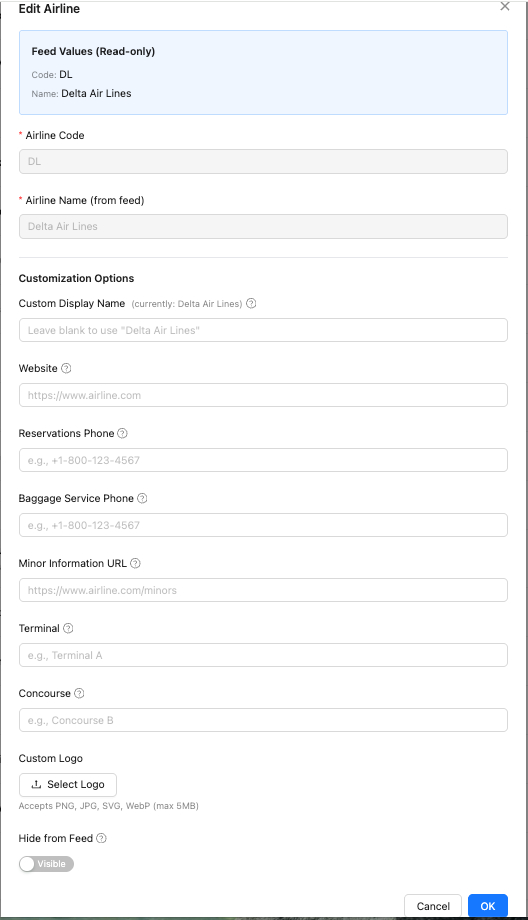
- Custom names - Override airline display names
- Custom logos - Upload your own airline logos
- Baggage claim overrides - Set default baggage claim locations
- Exclusions - Hide cargo or private airlines from public displays
Data Sources
Flight data is automatically sourced from your airport's FIDS (Flight Information Display System) or other integrated data providers. The data source is configured during onboarding.
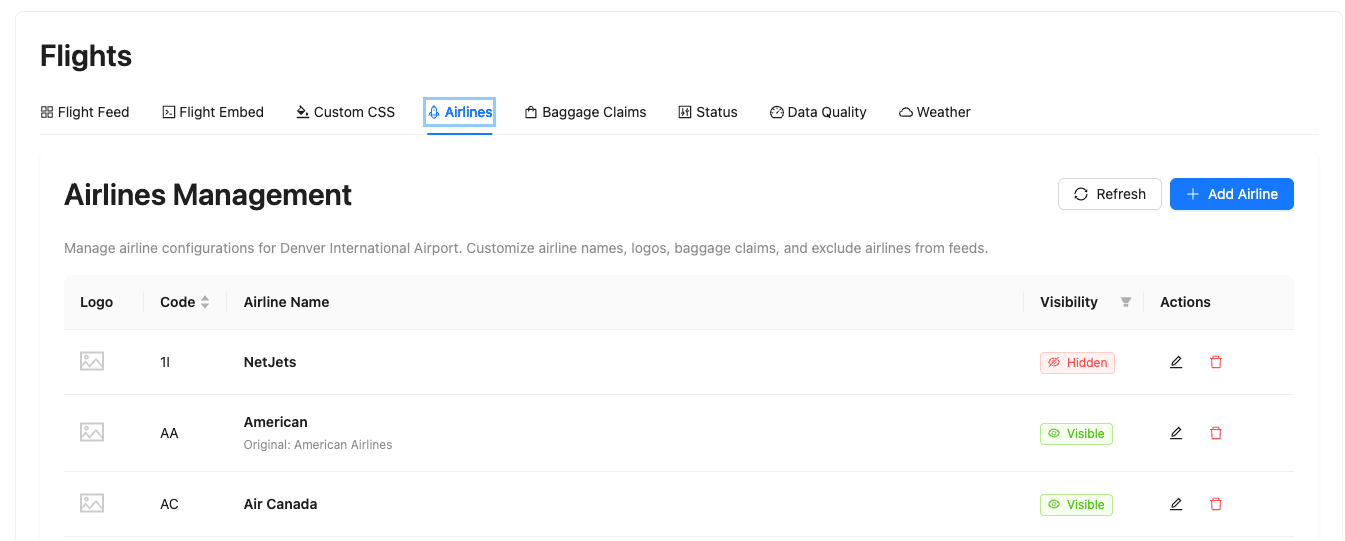
Airlines
In this section, you can manage airline information and customize how airlines appear on your displays.
Available actions:
- Show/Hide airlines - Control which airlines appear on public displays
- Delete airlines - Remove airlines from your system
- Add an airline - Add new airlines to your configuration
- Select a custom logo - Upload custom airline logos for branding
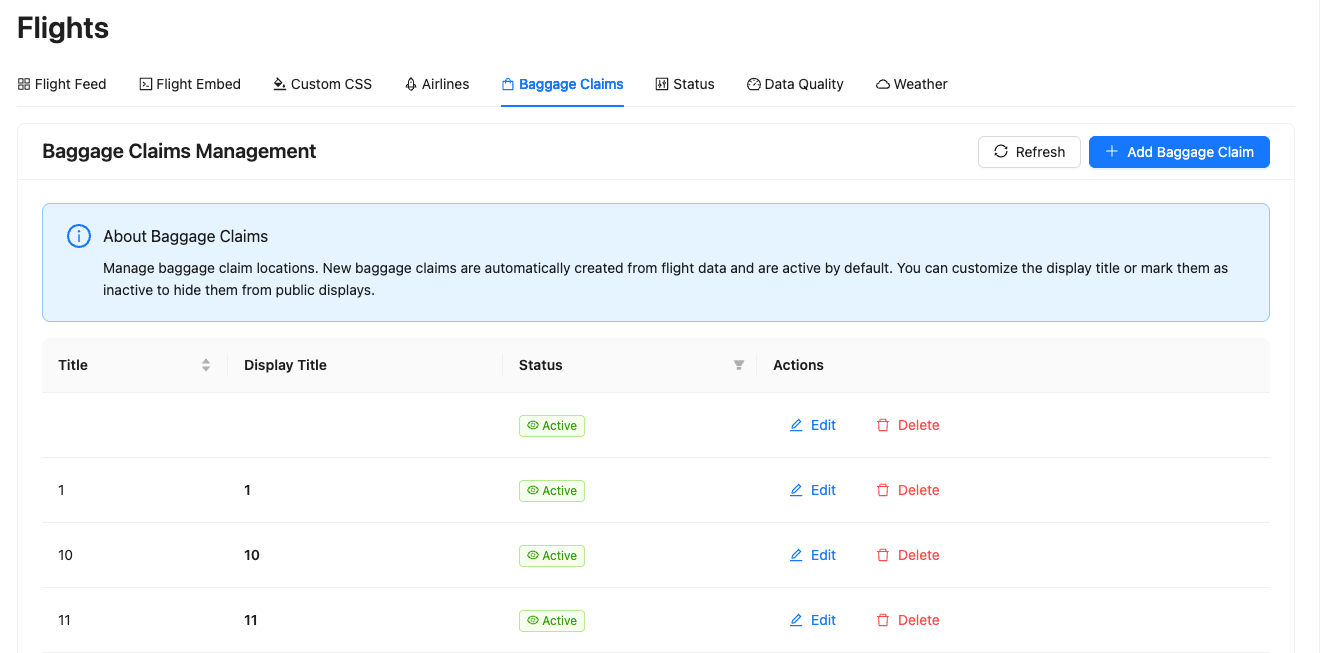
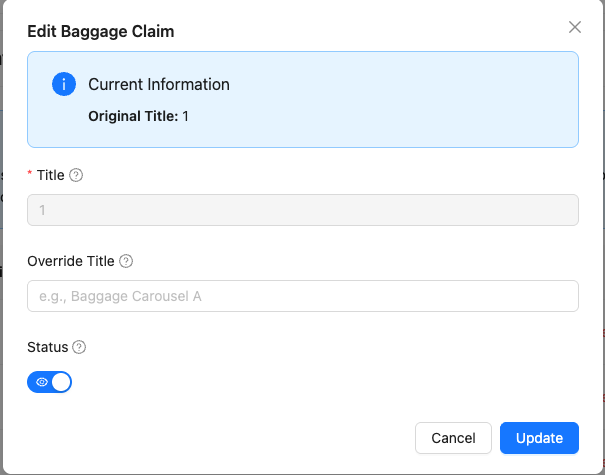
Baggage Claims
In this section, you can manage baggage claim information for your airport.
Available actions:
- Show/Hide baggage claims - Control which baggage claim areas appear on displays
- Delete baggage claims - Remove baggage claim areas from your system
- Add a baggage claim - Add new baggage claim areas
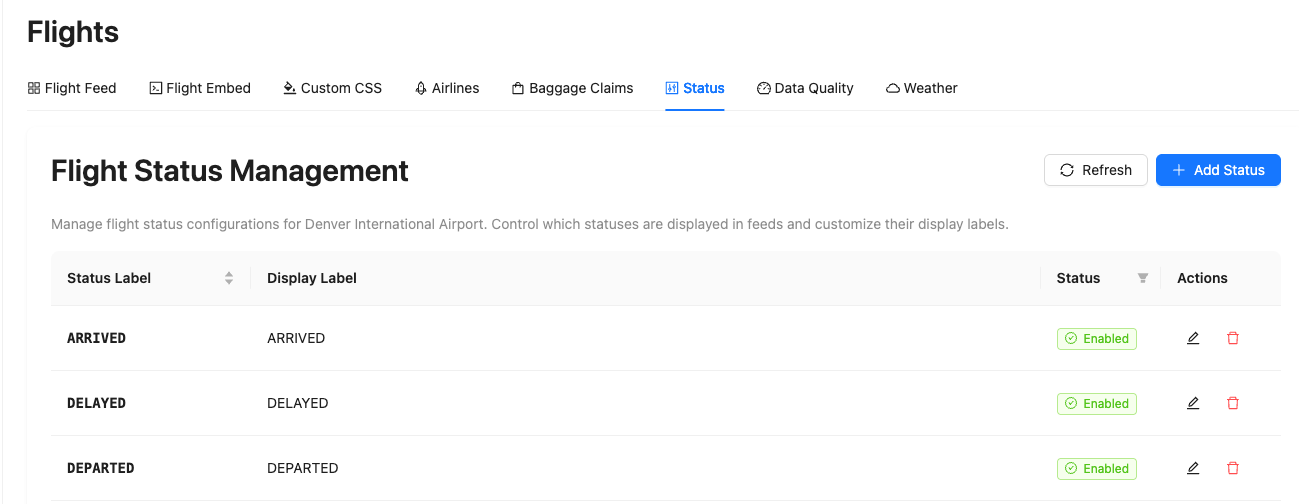
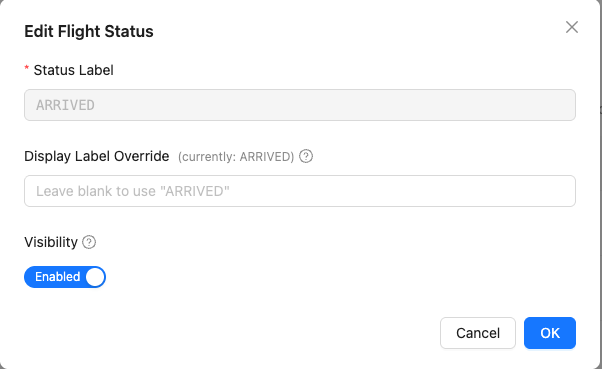
Flight Status
In this section, you can manage flight status types and their display settings.
Available actions:
- Show/Hide flight statuses - Control which status types appear on displays
- Delete flight statuses - Remove status types from your system
- Add a flight status - Create new custom flight status types